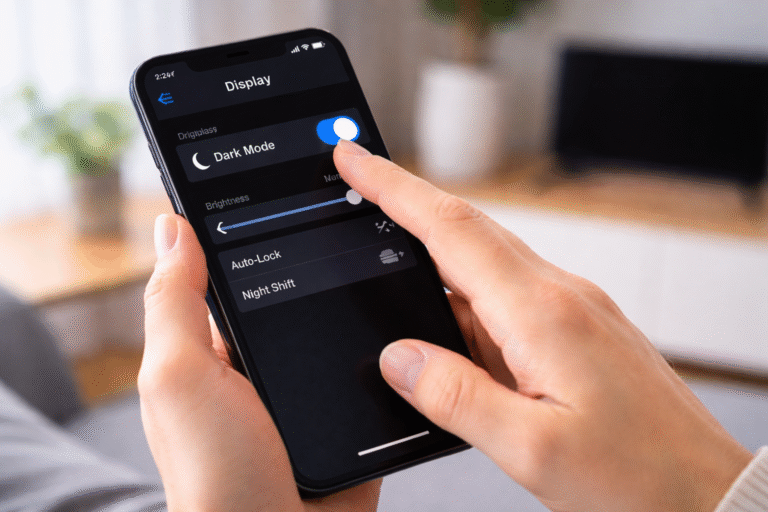

Dark mode saves battery because on certain screens, black pixels use little to no power. Fewer lit pixels = less energy used.
But that’s not the full story.
Sometimes dark mode saves a lot of battery.
Sometimes it saves almost nothing.
And in a few cases, it can even use more power.
First, what dark mode really changes
Dark mode isn’t just a color preference.
It changes:
- Background colors (white → black or dark grey)
- Text colors (black → light)
- UI elements (icons, cards, menus)
But the battery impact depends entirely on your screen type, not the app.
That’s where most confusion starts.
The two types of screens that matter
Before we talk about battery savings, you need to know this:
There are two major display technologies used today.
1. OLED / AMOLED displays
(Common in most modern phones)
- Each pixel emits its own light
- Black pixels are literally turned off
- No backlight is used
2. LCD displays
(Common in laptops, older phones, budget devices)
- A single backlight lights the entire screen
- Pixels only block or allow light
- Black pixels are not “off”
This difference changes everything.
Why dark mode saves battery on OLED screens
This is where dark mode truly shines.
On OLED screens:
- White pixel = pixel is fully ON
- Black pixel = pixel is OFF
So when your screen shows dark mode:
- Fewer pixels are active
- Less electricity is used
- Heat output is lower
In simple terms:
👉 Black pixels cost almost zero power
That’s why dark mode works so well on phones like:
- iPhones (newer models)
- Samsung Galaxy phones
- Pixel phones
- Most modern Android devices
How much battery does dark mode actually save?
This depends on what you’re doing.
Rough, real-world observations show:
- Low brightness → small savings
- High brightness → big savings
At high brightness, dark mode can save:
- 20%
- 30%
- Even up to 40% in some cases
Why?
Because bright white pixels are extremely power-hungry on OLED screens.
Dark mode removes that load.
Why dark mode barely helps on LCD screens
On LCD screens:
- The backlight is always ON
- Black pixels still let light through (or block it)
- Power usage stays mostly the same
So switching to dark mode on:
- Laptops
- Older phones
- Budget displays
Usually results in:
- Very little battery savings
- Sometimes no savings at all
Dark mode here is more about comfort, not battery.
Then why do laptops still promote dark mode?
Good question.
On laptops, dark mode helps with:
- Eye comfort in low light
- Reduced glare
- Less visual fatigue
But battery savings?
- Minimal
- Often unnoticeable
If you’re using a MacBook with an OLED display (rare), then yes — savings happen.
Otherwise, don’t expect miracles.
Brightness matters more than dark mode
This is something people rarely talk about.
Lowering brightness often saves more battery than enabling dark mode.
Example:
- Light mode at 30% brightness
vs - Dark mode at 80% brightness
The first one usually wins.
Dark mode helps most when:
- Brightness is high
- Screen time is long
- UI has lots of white areas
Why dark grey is better than pure black
Many apps don’t use pure black.
They use:
- Dark grey
- Soft black
- Charcoal backgrounds
Why?
Because:
- Pure black can feel harsh
- Dark grey improves readability
- Reduces eye strain
Battery-wise:
- Dark grey still uses some power
- But far less than white
So the battery savings remain meaningful.
Does dark mode save battery in all apps?
No.
Dark mode saves battery mainly in apps that:
- Have large white backgrounds
- Are text-heavy
- Stay on screen for long periods
Examples:
- Browsers
- Social media
- Messaging apps
- Reading apps
Apps that already use dark visuals (like video players) see less benefit.
Video playback and dark mode
This surprises people.
Dark mode doesn’t save much battery while:
- Watching videos
- Playing games
Why?
Because:
- Videos control their own pixels
- UI elements are minimal
- The content itself determines brightness
Dark mode helps before and after, not during.
Why some people feel dark mode drains battery
This can happen.
Reasons:
- Screen brightness increased unintentionally
- LCD screen instead of OLED
- App dark mode not truly dark
- Constant switching between modes
Also, system animations and UI redraws can slightly increase usage — though this is minor.
What about eye strain and sleep?
This is where dark mode gets confusing.
Dark mode:
- Reduces glare
- Feels comfortable at night
- Can reduce eye fatigue for some people
But:
- It doesn’t automatically improve sleep
- Blue light still exists
- Brightness still matters more
Dark mode is a comfort feature first, battery feature second.
System-wide dark mode vs app-level dark mode
System-wide dark mode:
- More consistent
- Fewer white flashes
- Better battery control
App-level dark mode:
- Depends on implementation
- Some apps fake dark mode
- Battery savings vary
For best results:
👉 Enable system dark mode + true dark apps
Why dark mode became popular suddenly
Three reasons:
- OLED screens became common
- Users started caring about battery life
- People wanted comfortable night usage
Dark mode wasn’t a trend — it was a hardware-driven shift.
Does dark mode help battery on iPhone?
Yes — significantly on newer iPhones.
iPhones use OLED displays (except older models):
- Dark mode reduces power draw
- Especially at high brightness
- Especially during long scrolling sessions
This is one reason Apple pushed dark mode hard.
Does dark mode help battery on Android?
Yes — often even more.
Many Android phones:
- Use aggressive OLED tuning
- Have darker system themes
- Allow pure black modes
On Android, dark mode + low brightness can noticeably extend battery life.
Dark mode myths worth clearing up
Let’s quickly clear some confusion.
❌ Dark mode always saves battery
→ Only on OLED screens
❌ Dark mode improves performance
→ No, performance is mostly unaffected
❌ Dark mode is better for eyes always
→ Depends on lighting and personal comfort
❌ Pure black is always best
→ Dark grey is often better for usability
So when should you actually use dark mode?
Use dark mode if:
- You have an OLED screen
- You scroll a lot
- You use your phone at night
- Battery life matters to you
Skip it if:
- You use an LCD laptop
- You work in bright environments
- You prefer readability over savings
Summary
Dark mode isn’t magic.
It doesn’t “optimize” your phone.
It doesn’t double your battery.
But on the right screen, in the right conditions, it genuinely helps.
The real lesson is this:
Battery savings come from understanding hardware not just turning on features.
Once you know how your screen works, dark mode stops being a trend and becomes a smart choice.
Discover more from PratsDigital
Subscribe to get the latest posts sent to your email.