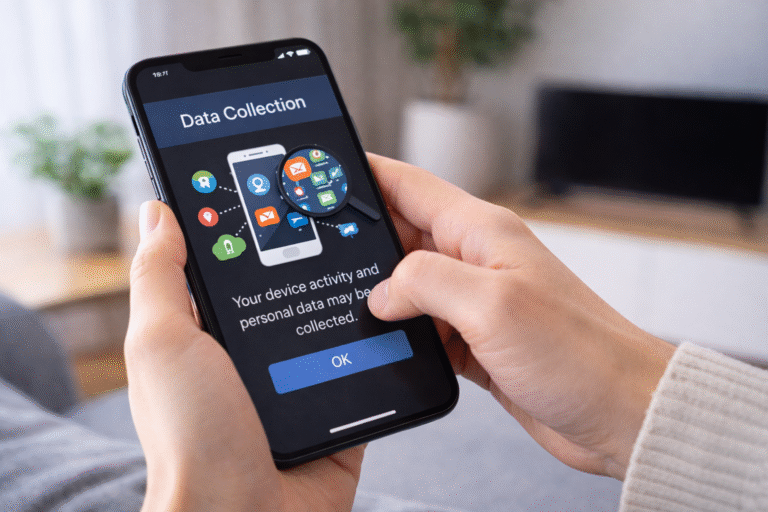

Your phone collects a surprising amount of data every day from your location to your app usage, search history, device info, and even your habits. Some of this helps apps work better, while some is used for ads, analytics, and recommendations.
Most people don’t realize how much information their phone gathers silently and how it can affect privacy.
Why your phone collects data
Phones aren’t just communication devices anymore. They’re personal assistants, cameras, fitness trackers, and mini-computers. To do all this, your phone collects data to:
- Make apps faster and more responsive
- Suggest content and ads tailored to you
- Improve features and system performance
- Detect security issues and prevent fraud
Some of this data collection is beneficial, but some can feel intrusive especially when it happens without your awareness.
1. Location data
Almost every smartphone tracks your location constantly through:
- GPS
- Wi-Fi networks
- Bluetooth signals
- Cell towers
Why it’s collected:
- Navigation apps (Google Maps, Waze)
- Local recommendations (restaurants, events)
- Weather apps (accurate forecasts)
- Ads targeted to your area
Privacy tip: Check which apps have location access and limit it to only when necessary.
2. App usage data
Your phone logs:
- How often you open apps
- How long you spend in each app
- Which features you use most
Why it’s collected:
- Developers analyze usage to improve the app
- Personalized recommendations
- Detecting crashes or bugs
Example: Instagram tracks how long you scroll in the feed to show content you’re likely to engage with.
3. Search history and browsing activity
Whether you use Google, Safari, or another browser, your phone remembers:
- Websites you visit
- Searches you perform
- Links you click
Why it’s collected:
- Faster search suggestions
- Autofill and personalized search results
- Targeted ads
Even if you clear your history, apps or search engines may still keep a record in the cloud.
4. Contacts and messaging data
Apps like WhatsApp, Messenger, or your email app can access:
- Contacts
- Chat backups
- Message metadata (timestamps, message size, recipients)
Why it’s collected:
- Syncing contacts across devices
- Delivering messages reliably
- Backup and restore
Note: Metadata is often collected even when content is encrypted.
5. Health and fitness data
Phones with health apps or wearables collect:
- Steps walked
- Heart rate
- Sleep patterns
- Workouts
Why it’s collected:
- Track progress and provide recommendations
- Sync with fitness apps
- Detect anomalies for health monitoring
This data is highly personal, so security matters.
6. Device and system data
Phones track information about themselves, including:
- Device model and OS version
- Storage usage
- Battery health
- Network connectivity
Why it’s collected:
- To optimize updates
- Diagnose problems
- Improve performance
Manufacturers often use anonymized device data to understand trends.
7. Camera, microphone, and sensors
Modern apps may access:
- Camera (photos, video)
- Microphone (voice commands)
- Accelerometer, gyroscope, compass
Why it’s collected:
- Photos and videos
- Voice assistants (Siri, Google Assistant)
- Fitness tracking and AR apps
- Motion-based gestures
Important: Many apps request permissions that aren’t strictly necessary. Always review them.
8. Payment and purchase history
If you use apps for payments or subscriptions, your phone collects:
- Transaction details
- Billing addresses
- Payment methods
Why it’s collected:
- Secure transactions
- Detect fraud
- Improve personalized offers
Even digital wallets store purchase trends to make recommendations.
9. Advertising and tracking data
Your phone collects data specifically for advertising:
- App installs and usage
- Interests inferred from behavior
- Websites visited
- Ads clicked
Why it’s collected:
- Personalized ads
- Recommendations in social media or shopping apps
- Measuring ad effectiveness
Tip: You can limit ad tracking in your phone’s privacy settings.
10. Location-based analytics (behind the scenes)
Even if you don’t actively share location:
- Wi-Fi signals and network pings can triangulate your position
- Retailers or apps can infer your habits
This powers things like:
- Local ad targeting
- Foot traffic analysis in stores
- Predicting trends in your area
What your phone doesn’t tell you
Your phone doesn’t directly expose this data to you in one place. Most of it is collected silently, aggregated, and sent to servers for analysis.
It’s important to know:
- Cloud services may store your data indefinitely
- Apps may share data with third parties
- Even deleted data may remain in backups
Why understanding this matters
Being aware of your phone’s data collection helps you:
- Protect your privacy
- Limit unnecessary permissions
- Avoid apps that over-collect
- Make informed choices about services you use
Ignoring it means giving up control over your personal information.
How I personally manage data collection
I follow these simple steps:
- Review app permissions regularly
Only grant access when necessary. - Turn off location for apps that don’t need it
Especially social media apps. - Use private browsing or VPN
Reduces tracking while online. - Check ad personalization settings
Limit interest-based advertising. - Clear unnecessary app cache
Helps reduce stored data on the device. - Use secure, privacy-friendly apps
Messaging apps with end-to-end encryption, like Signal.
Conclusion
Your phone collects a lot more data than most people realize from locations and browsing habits to purchases and app usage.
Most of this data is harmless and helps apps function better, but some of it is used for ads, analytics, and behavioral profiling.
The key takeaway: awareness is power. Understanding what your phone collects daily lets you make informed decisions about privacy and control.
By managing permissions, clearing unnecessary data, and using privacy-conscious tools, you can enjoy the convenience of your smartphone without giving away too much personal information.
Discover more from PratsDigital
Subscribe to get the latest posts sent to your email.